
Mounting
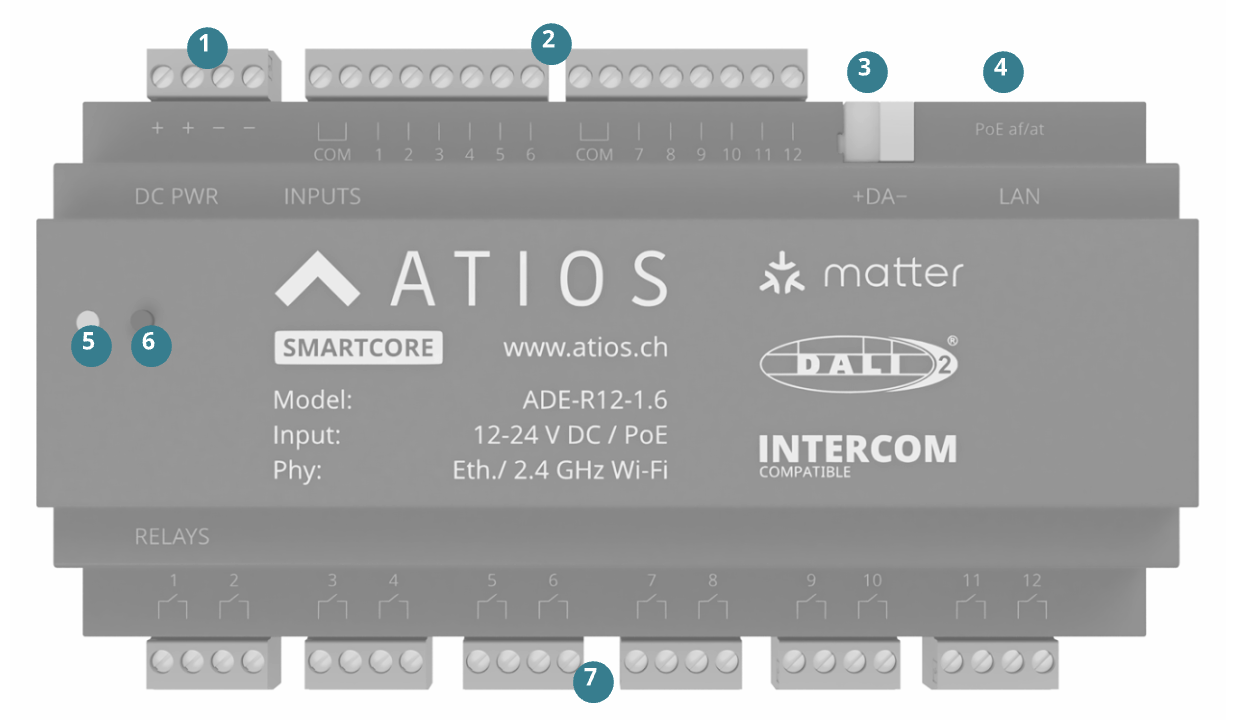
- Mount the SmartCore to the DIN Rail in the electrical cabinet.
- Connect power via PoE to Ethernet port ④, or connect a 12–24 V DC supply to terminal ①. PoE powers the device and provides network connectivity, no separate DC supply needed.
- If using DALI lights, connect the DALI Bus to terminal ③. See Wiring for bus power and load details.
- For network access, use a PoE Ethernet cable on port ④ for LAN, or configure WiFi via Network Settings using a separate DC power supply on terminal ①.
WARNING
Do not connect the device to both Power over Ethernet and external DC power at the same time.