
System Settings
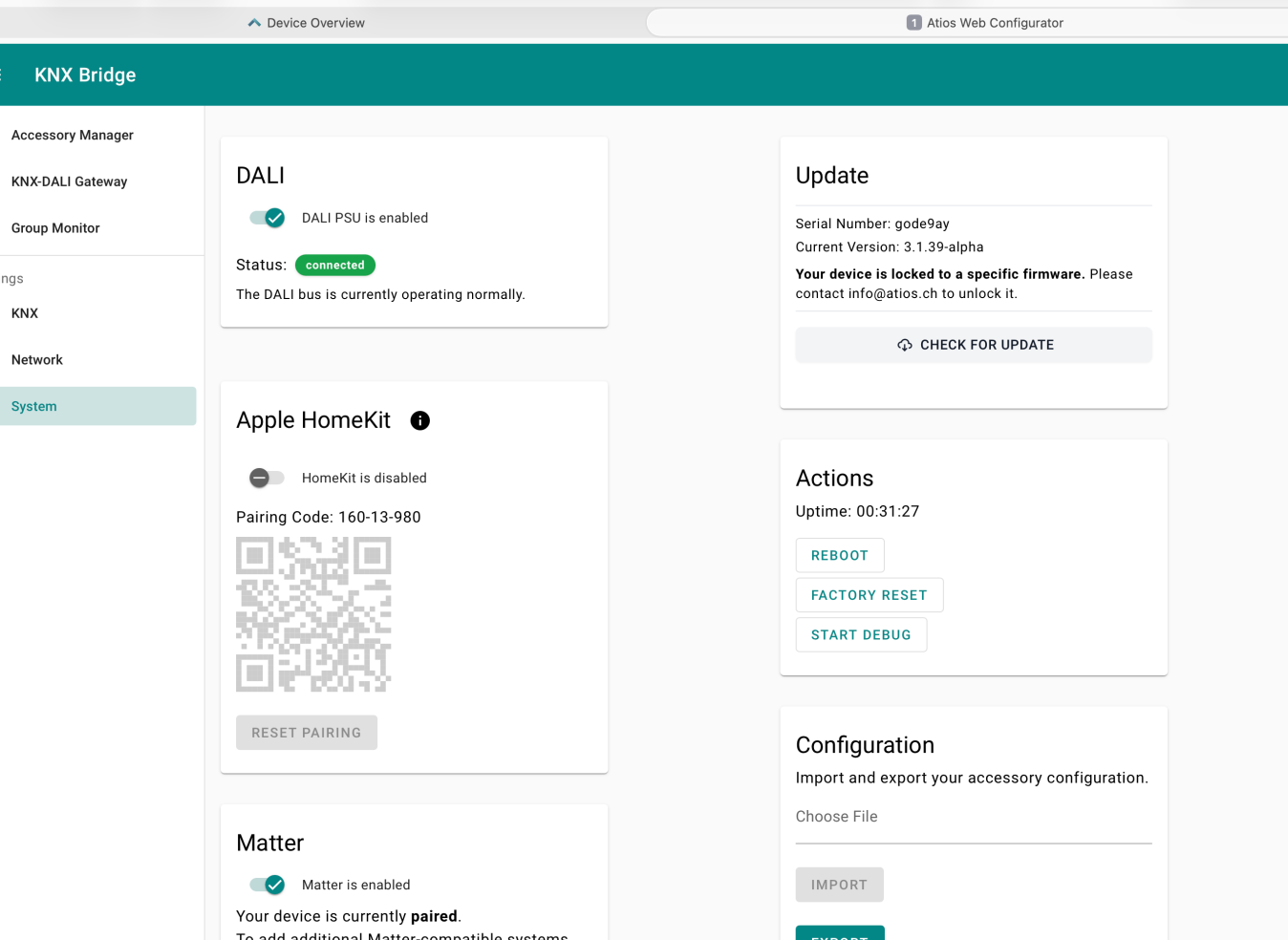
DALI
Enable or disable the internal DALI power supply (PSU). When enabled, the bridge powers the DALI bus directly.
WARNING
Ensure no other power supply is connected to the DALI bus when using the internal PSU.
Apple HomeKit
Enable HomeKit to pair the KNX Bridge with Apple Home. The pairing code and QR code are shown here. We recommend to pair the KNX Bridge with Matter instead. Use Reset Pairing to remove an existing pairing.
INFO
HomeKit and Matter cannot be active at the same time. Enabling one will disable the other.
Matter
Enable Matter to pair the KNX Bridge with a Matter-compatible smart home app such as Apple Home, Google Home, Amazon Alexa, or Samsung SmartThings. Use Reset Pairing to remove an existing pairing.
See the Matter Pairing Guide for platform-specific instructions.
INFO
HomeKit and Matter cannot be active at the same time. Enabling one will disable the other.
Update
Shows the current firmware version and serial number. Click Check for Update to check for a newer version.
INFO
If your device is locked to a specific firmware version, contact info@atios.ch to unlock it.
Actions
From here you can:
- Reboot: Restarts the device without deleting your configuration.
- Factory Reset: Resets the device to factory defaults. See Factory Reset for details.
- Start Debug: Downloads a debug log file for troubleshooting. Include this when contacting support.
Configuration
Import and export your accessory configuration as a backup or to transfer settings between devices.
- Import: Click on the empty line to select a configuration file. Go to the Accessory Manager and click Saved Configuration to load it.
- Export: Click Export to download your current accessory configuration.
Login Password
Protect the Web Interface with a password:
- Enable the Login toggle.
- Enter your password and click Save.